Floral Leo: Maximizing Value Across SVG, PNG, EPS, and DXF Formats
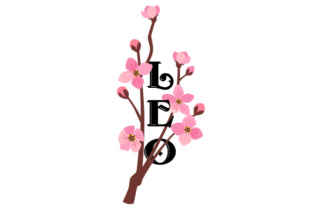
The intersection of astrological symbolism and botanical aesthetics has created a sustained demand for zodiac-themed artwork, with Floral Leo emerging as a particularly versatile design choice. This motif combines the bold, fiery energy of the lion with intricate floral arrangements, creating a visual balance that appeals to both astrology enthusiasts and general design consumers. Whether you are creating merchandise for an Etsy shop, designing personalized birthday gifts, or developing branding for a wellness coach, this design offers immediate recognition and aesthetic appeal. However, owning the digital asset is only the first step. The true value lies in understanding how to leverage the specific file formats included with your purchase: SVG, Transparent PNG, EPS, and DXF.
Many creators download these files and immediately default to whichever format opens first on their computer, often leading to subpar production results or unnecessary frustration. A common misunderstanding is treating all vector and raster files as interchangeable. They are not. Each format serves a distinct technical purpose, and using the wrong one can result in pixelated prints, jagged cut lines, or incompatible software errors. By taking a moment to understand the specific utility of each file type within the Floral Leo package, you can significantly improve your workflow efficiency and final product quality.
Navigating Vector Formats for Cutting and Scaling
The most frequent mistake beginners make when working with zodiac designs involves confusing SVG and DXF files during the cutting process. While both are vector-based, they interact differently with hardware and software. The SVG (Scalable Vector Graphics) file is generally the superior choice for modern crafting ecosystems like Cricut Design Space or Silhouette Studio Designer Edition. SVGs retain layer information, meaning the flowers, the lion silhouette, and any text elements remain separate and editable. This allows you to change the color of the roses without affecting the lion’s mane or remove the text entirely for a minimalist look.
Conversely, the DXF (Drawing Exchange Format) is often misunderstood as a secondary backup, but it is actually essential for users of the free version of Silhouette Studio or older laser engraving software. DXF files are universally compatible CAD standards. If you attempt to open an SVG in the basic edition of Silhouette Studio, the software may not recognize it or might flatten the layers into a single uneditable shape. In this scenario, the DXF is not a compromise; it is the correct tool. However, be aware that DXF files sometimes lose fill colors upon import, appearing as outline-only wireframes. This is normal behavior. You simply need to reapply your fill colors after opening the file. Anticipating this behavior prevents the panic of thinking your Floral Leo design is broken.
When to Utilize EPS Files
The EPS (Encapsulated PostScript) file is frequently overlooked by hobbyists but is indispensable for professional designers and print shops. If you plan to send your Floral Leo design to a commercial screen printer, embroiderer, or sign maker, they will likely request the EPS. Unlike SVGs, which are optimized for web and craft cutters, EPS is built for high-end Adobe Illustrator and CorelDRAW workflows. It supports complex color profiles and large-scale formatting that smaller vector formats cannot handle efficiently.
A practical warning regarding EPS files: do not try to open them in standard photo viewers or word processors. These programs will either fail to open the file or convert it to a low-resolution preview image, leading you to believe the file is corrupt. Always use dedicated vector editing software. If you do not own Adobe Illustrator, consider free alternatives like Inkscape to verify the integrity of the EPS before sending it to a vendor. This small verification step avoids costly miscommunications with print providers who expect production-ready vectors.
Avoiding Raster Pitfalls with Transparent PNGs
While vectors handle scaling and cutting, the Transparent PNG is your workhorse for digital applications and direct-to-garment printing. The most critical error users make here is assuming "transparent" means the background is automatically removed in every context. Always inspect the PNG at 100% zoom against a colored background layer before finalizing your project. Sometimes, what appears transparent is actually white or contains anti-aliasing artifacts that look messy on dark fabrics.
Another significant oversight is resolution management. A Transparent PNG is a raster image composed of pixels. Unlike the SVG or EPS, it cannot be scaled up indefinitely without losing quality. If your Floral Leo PNG is 300 DPI at 5 inches wide, stretching it to 10 inches for a hoodie back print will reduce the effective resolution to 150 DPI, resulting in blurry edges and visible pixelation. Before committing to a print run, check the pixel dimensions. If the provided PNG does not meet your size requirements at 300 DPI, return to the SVG or EPS source file, resize it to your specifications, and export a new high-resolution PNG. Never upscale a raster file using basic image editors; always generate it from the vector source.
Color Management and Print Consistency
Zodiac designs often feature specific color associations; Leo is traditionally linked to golds, oranges, and warm reds. A common source of dissatisfaction arises when the vibrant screen colors of the Floral Leo design appear dull or shifted in print. This is usually a color space issue. Digital screens display RGB (Red, Green, Blue) light, while printers use CMYK (Cyan, Magenta, Yellow, Key/Black) ink. The neon-bright golds you see in the SVG preview may fall outside the printable CMYK gamut.
To avoid disappointment, perform a test print or soft-proof your design if possible. If you are using the PNG for sublimation or DTG printing, understand that the printer driver will interpret the RGB values. For professional offset printing using the EPS, convert the file to CMYK in your design software first to manually adjust out-of-gamut colors. Taking control of this conversion ensures the regal warmth of the Floral Leo aesthetic translates accurately from screen to physical medium, rather than leaving it to chance.
Evaluating Quality Before Purchase or Use
Whether you are acquiring this design for personal use or commercial licensing, due diligence prevents wasted time. Before integrating Floral Leo into a product line, verify the node count in the vector files. Poorly digitized vectors have excessive anchor points, which cause cutting machines to stutter, pause, or create jagged edges. Open the SVG in your software and view it in outline mode. Smooth curves should have minimal nodes. If the lion’s mane looks like a staircase of tiny straight lines rather than a fluid curve, the file may require cleanup with a simplify tool before it is production-ready.
Additionally, review the licensing terms specifically for each format. Some designers restrict the use of the raw SVG file for resale as a digital sticker pack while allowing its use on physical tumblers. Others may prohibit the use of the EPS for trademark registration. Understanding these nuances protects your business from legal complications. Finally, organize your assets immediately upon download. Create a folder structure that separates source vectors from exported rasters. Naming conventions matter; renaming "floral_leo_final_v2.svg" to "Leo_Floral_Gold_SVG_CutFile.svg" saves hours of searching later. Treating your digital assets with professional organization reflects in the quality of your final creative output.